Turinure: A Modern Google Slide Template for Dynamic Presentations
Creating a presentation that captivates and communicates effectively is a common challenge for professionals and creators. The Turinure - Google Slide Template offers a robust solution, designed to transform your ideas into polished, visually compelling narratives without the need for complex software. This template is a versatile asset, ready to elevate your next business pitch, product launch, or portfolio showcase directly within Google Slides.
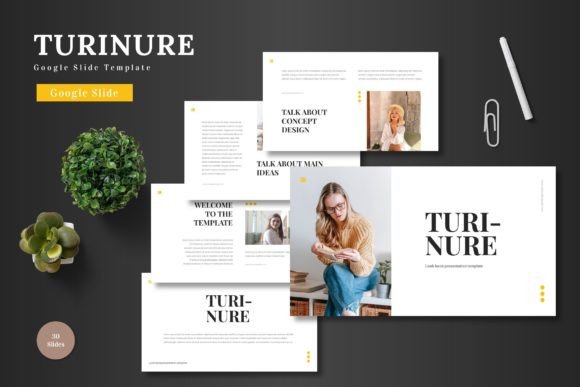
At its core, Turinure is a comprehensive design system built for efficiency and impact. It provides over 150 meticulously crafted slides across five premade color schemes, ensuring you have the perfect visual foundation for any brand or message. The clean, scalable, and colorful design makes it a multipurpose tool suitable for a wide range of applications. Whether you're preparing a pitch deck for investors, outlining an e-commerce strategy, or promoting a new product, the template adapts seamlessly to your needs.
Key Features for Seamless Design
The true strength of this template lies in its user-centric features, which prioritize flexibility and professional quality. Every element is fully editable within Google Slides, empowering you to maintain complete creative control. You can easily input your content, drag and drop images into placeholders, adjust colors to match your brand identity, and even utilize animated slides to bring your story to life. This eliminates the learning curve associated with other design software, making professional presentation design accessible to everyone.
- Extensive Slide Library: With 30 slides per color variation and dedicated section break slides, you can structure your presentation with logical flow and visual clarity.
- Handcrafted Infographics: Present data and complex information using beautiful, pixel-perfect illustrations that are both resizable and editable.
- Master Slides & Placeholders: Ensure consistency throughout your deck. The master slide feature maintains uniform styling, while picture placeholders allow for swift, drag-and-drop image integration.
Practical Applications and Creative Use Cases
Consider how a cohesive visual presentation can strengthen your brand identity. Using a consistent template like Turinure across all your business communications—from internal reports to client-facing pitches—builds recognition and conveys professionalism. For entrepreneurs and startups, a well-designed pitch deck is often the first impression. This template provides the structured yet creative canvas needed to tell your story compellingly.
Beyond traditional business use, its clean aesthetic is ideal for creative portfolios, project proposals, and even educational material. The gallery and portfolio slides are particularly useful for designers, photographers, and artists looking to display their work in an organized, attractive format. The design principles at play here align with modern typography trends, ensuring your content looks contemporary and engaging.
Tips for Selecting and Using Your Template
When choosing a presentation template, consider the mood of your project. The five color variations in Turinure allow you to select a palette that resonates with your topic—whether it's energetic and vibrant or sleek and corporate. Always test readability by viewing your slides from a distance; the template's clean design helps maintain clarity. Think about font pairing as well; while the template comes with its own styling, you can often enhance it by using complementary typefaces for headings and body text.
Remember, the goal of any design asset is to serve your content, not overshadow it. The right template, like a well-chosen typeface, should enhance your message, improve visual consistency, and make your information easier to digest. It’s a tool for achieving a polished, professional presentation that reflects the quality of your ideas.
Ultimately, selecting a thoughtfully designed resource like the Turinure Google Slide Template is an investment in your communication strategy. It streamlines the design process, ensures visual coherence, and helps you present your work with confidence. By focusing on clean design and practical functionality, it allows your content to shine, making it a worthy consideration for your next project.